door TESLA MODEL X 2017 Owner's Manual
[x] Cancel search | Manufacturer: TESLA, Model Year: 2017, Model line: MODEL X, Model: TESLA MODEL X 2017Pages: 198, PDF Size: 4.87 MB
Page 2 of 198

Overview............................................................. 2
Interior Overview.........................................................................2
Exterior Overview....................................................................... 3
Opening and Closing..................................... 4 Doors............................................................................................... 4
Keyless Locking and Unlocking 4Using the Key 4Opening Doors from the Interior 6Opening and Closing Front Doors from Outside Model X 7Opening and Closing Falcon Wing Doors 7Interior Locking and Unlocking 9Door Unlock Mode 9Child-protection Lock 9Drive-away Locking 9Walk-away Locking 9Unlocking When the Key Doesn
Page 3 of 198
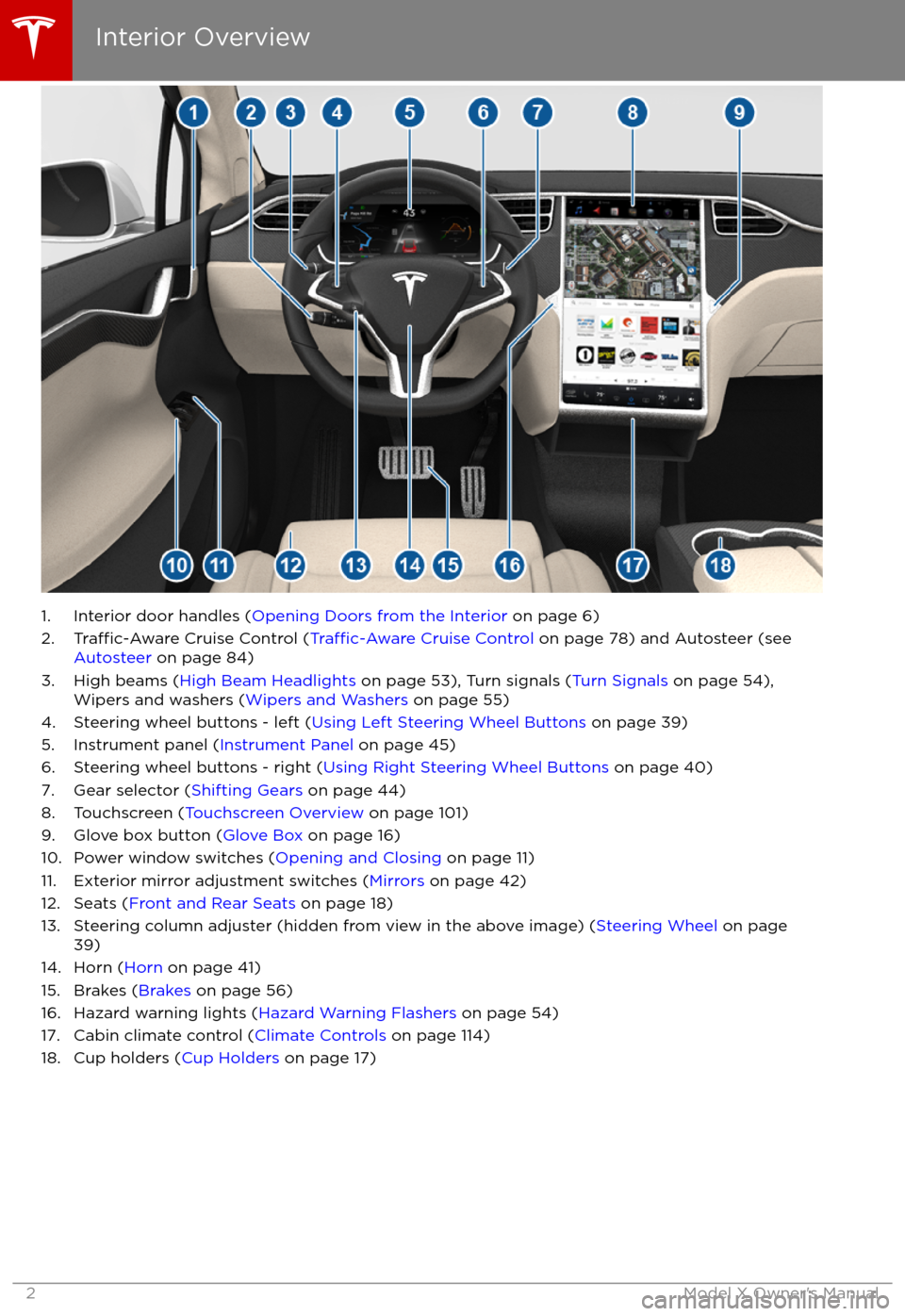
1. Interior door handles (Opening Doors from the Interior on page 6)
2.Traffic-Aware Cruise Control (Traffic-Aware Cruise Control on page 78) and Autosteer (see
Autosteer on page 84)
3. High beams ( High Beam Headlights on page 53), Turn signals ( Turn Signals on page 54),
Wipers and washers ( Wipers and Washers on page 55)
4. Steering wheel buttons - left ( Using Left Steering Wheel Buttons on page 39)
5. Instrument panel ( Instrument Panel on page 45)
6. Steering wheel buttons - right ( Using Right Steering Wheel Buttons on page 40)
7. Gear selector ( Shifting Gears on page 44)
8. Touchscreen ( Touchscreen Overview on page 101)
9. Glove box button ( Glove Box on page 16)
10. Power window switches ( Opening and Closing on page 11)
11. Exterior mirror adjustment switches ( Mirrors on page 42)
12. Seats ( Front and Rear Seats on page 18)
13. Steering column adjuster (hidden from view in the above image) ( Steering Wheel on page
39)
14. Horn ( Horn on page 41)
15. Brakes ( Brakes on page 56)
16. Hazard warning lights ( Hazard Warning Flashers on page 54)
17. Cabin climate control ( Climate Controls on page 114)
18. Cup holders ( Cup Holders on page 17)
Interior Overview
2Model X Owner
Page 4 of 198
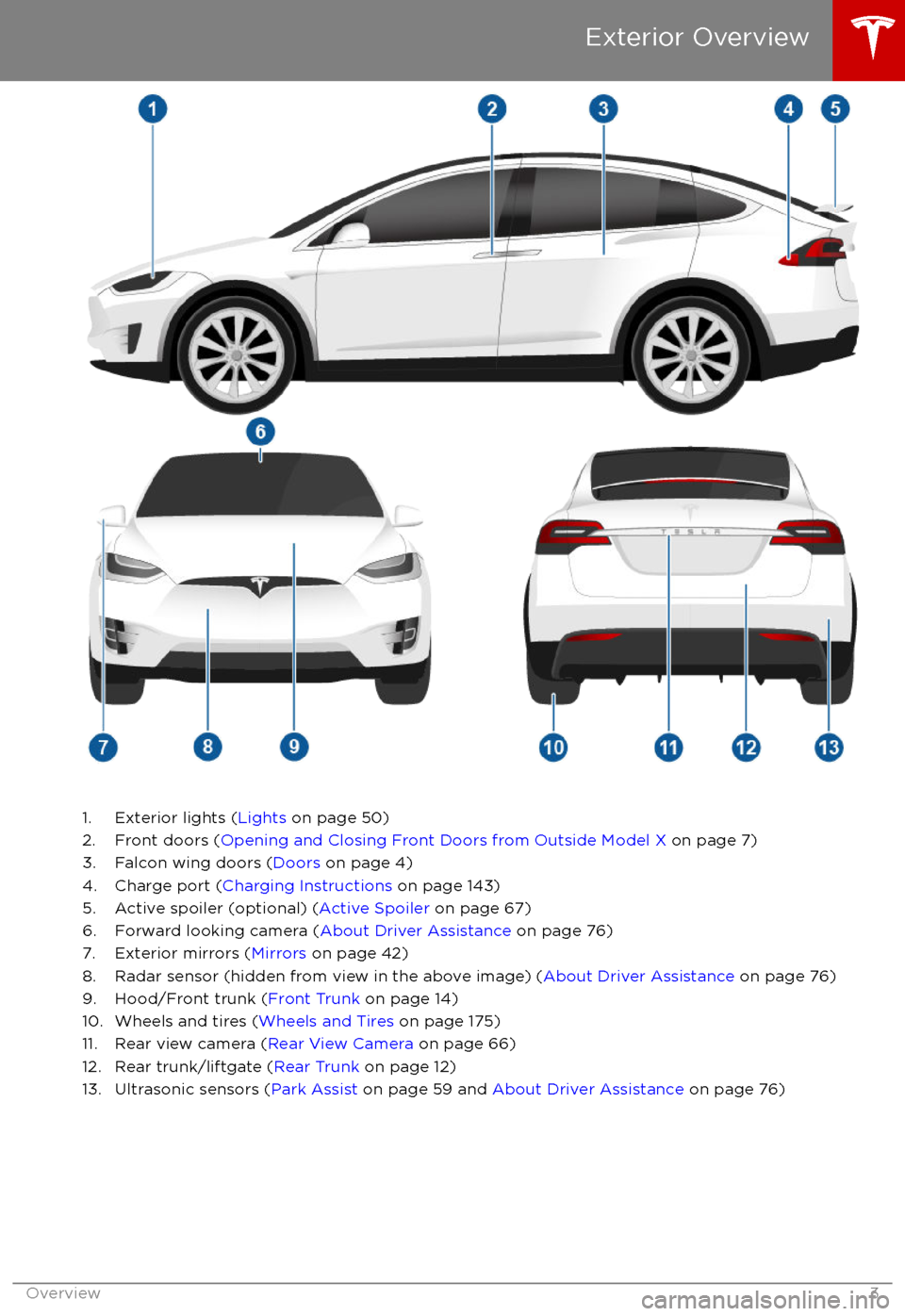
1. Exterior lights (Lights on page 50)
2. Front doors ( Opening and Closing Front Doors from Outside Model X on page 7)
3. Falcon wing doors ( Doors on page 4)
4. Charge port ( Charging Instructions on page 143)
5. Active spoiler (optional) ( Active Spoiler on page 67)
6. Forward looking camera ( About Driver Assistance on page 76)
7. Exterior mirrors ( Mirrors on page 42)
8. Radar sensor (hidden from view in the above image) ( About Driver Assistance on page 76)
9. Hood/Front trunk ( Front Trunk on page 14)
10. Wheels and tires ( Wheels and Tires on page 175)
11. Rear view camera ( Rear View Camera on page 66)
12. Rear trunk/liftgate ( Rear Trunk on page 12)
13. Ultrasonic sensors ( Park Assist on page 59 and About Driver Assistance on page 76)
Exterior Overview
Overview3
Page 5 of 198
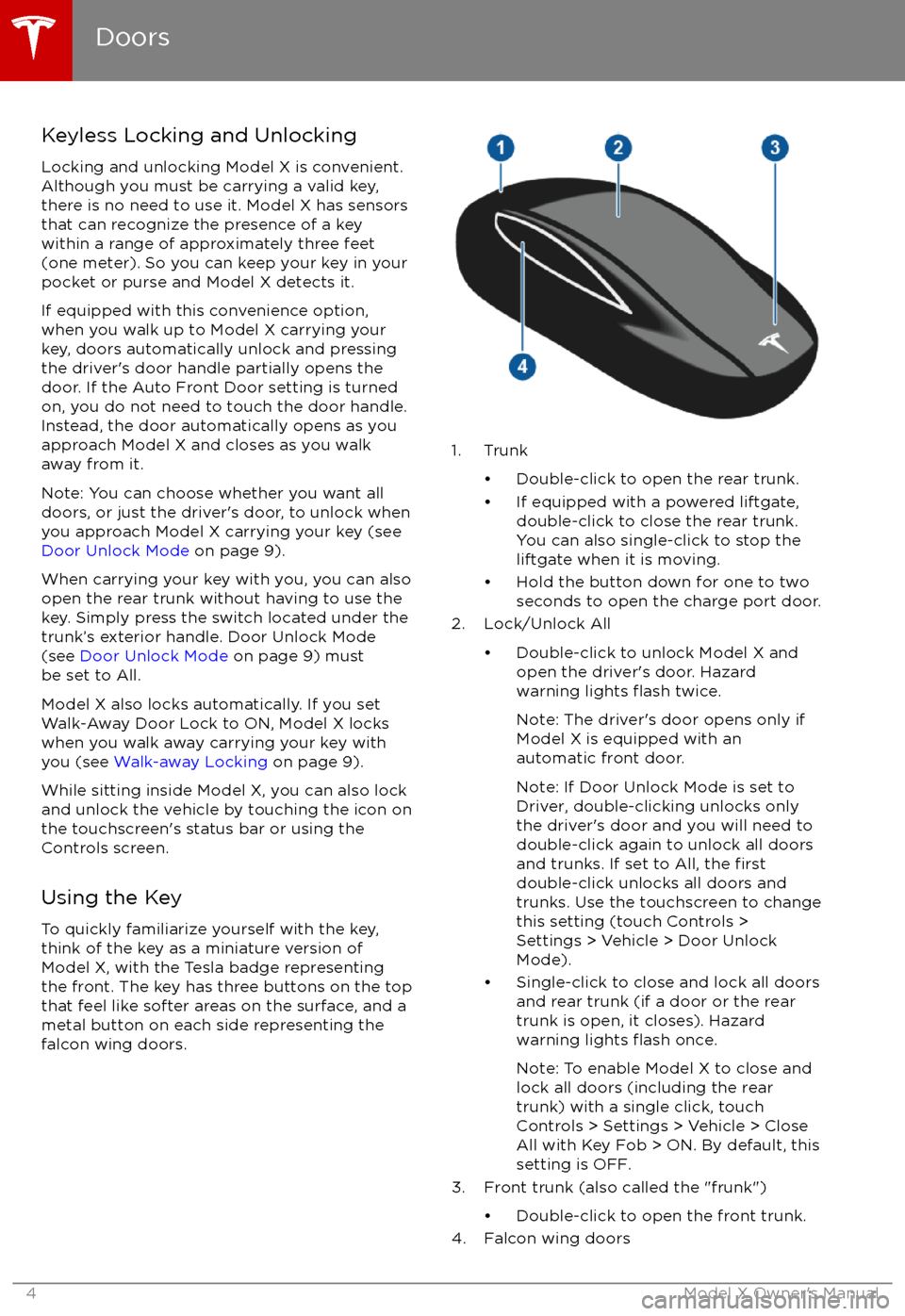
Keyless Locking and UnlockingLocking and unlocking Model X is convenient.
Although you must be carrying a valid key,
there is no need to use it. Model X has sensors
that can recognize the presence of a key
within a range of approximately three feet
(one meter). So you can keep your key in your
pocket or purse and Model X detects it.
If equipped with this convenience option, when you walk up to Model X carrying your
key, doors automatically unlock and pressing
the driver
Page 8 of 198
protection locks (see Child-protection Lock on
page 9).
Opening and Closing Front Doors
from Outside Model X
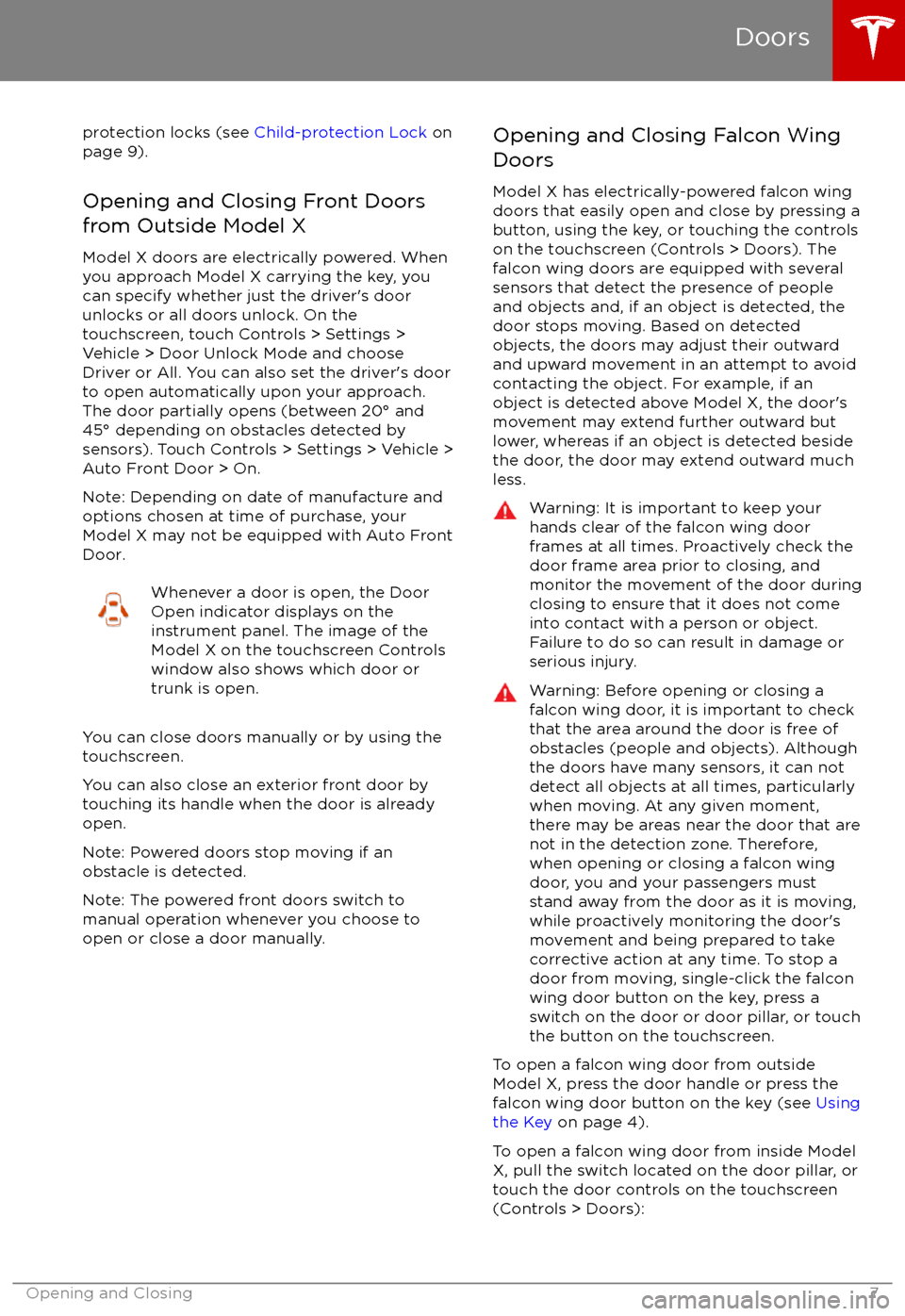
Model X doors are electrically powered. When
you approach Model X carrying the key, you
can specify whether just the driver
Page 9 of 198
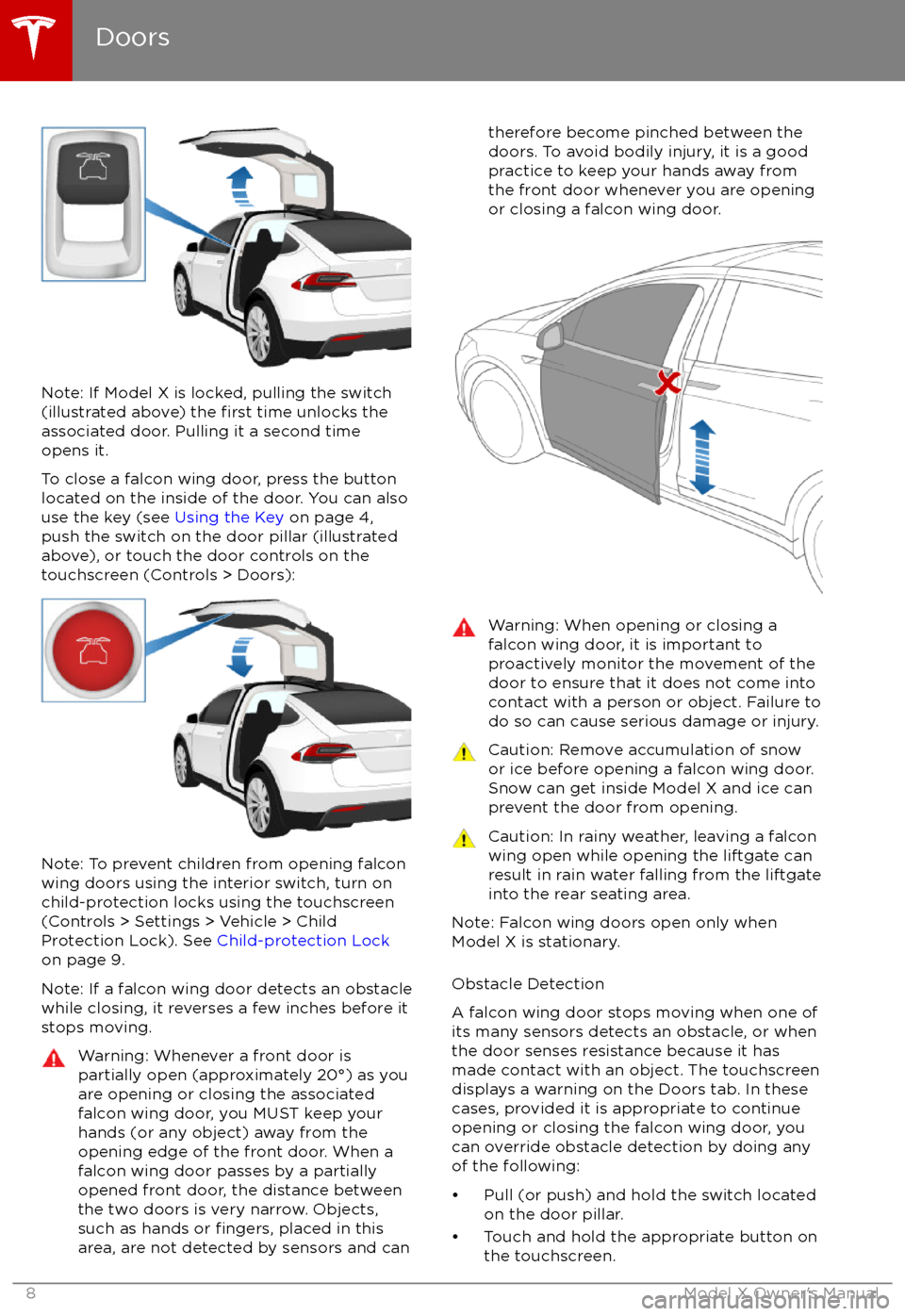
Note: If Model X is locked, pulling the switch(illustrated above) the first time unlocks the
associated door. Pulling it a second time
opens it.
To close a falcon wing door, press the button located on the inside of the door. You can also
use the key (see Using the Key on page 4,
push the switch on the door pillar (illustrated
above), or touch the door controls on the touchscreen (Controls > Doors):
Note: To prevent children from opening falcon
wing doors using the interior switch, turn on
child-protection locks using the touchscreen (Controls > Settings > Vehicle > Child
Protection Lock). See Child-protection Lock
on page 9.
Note: If a falcon wing door detects an obstacle
while closing, it reverses a few inches before it
stops moving.
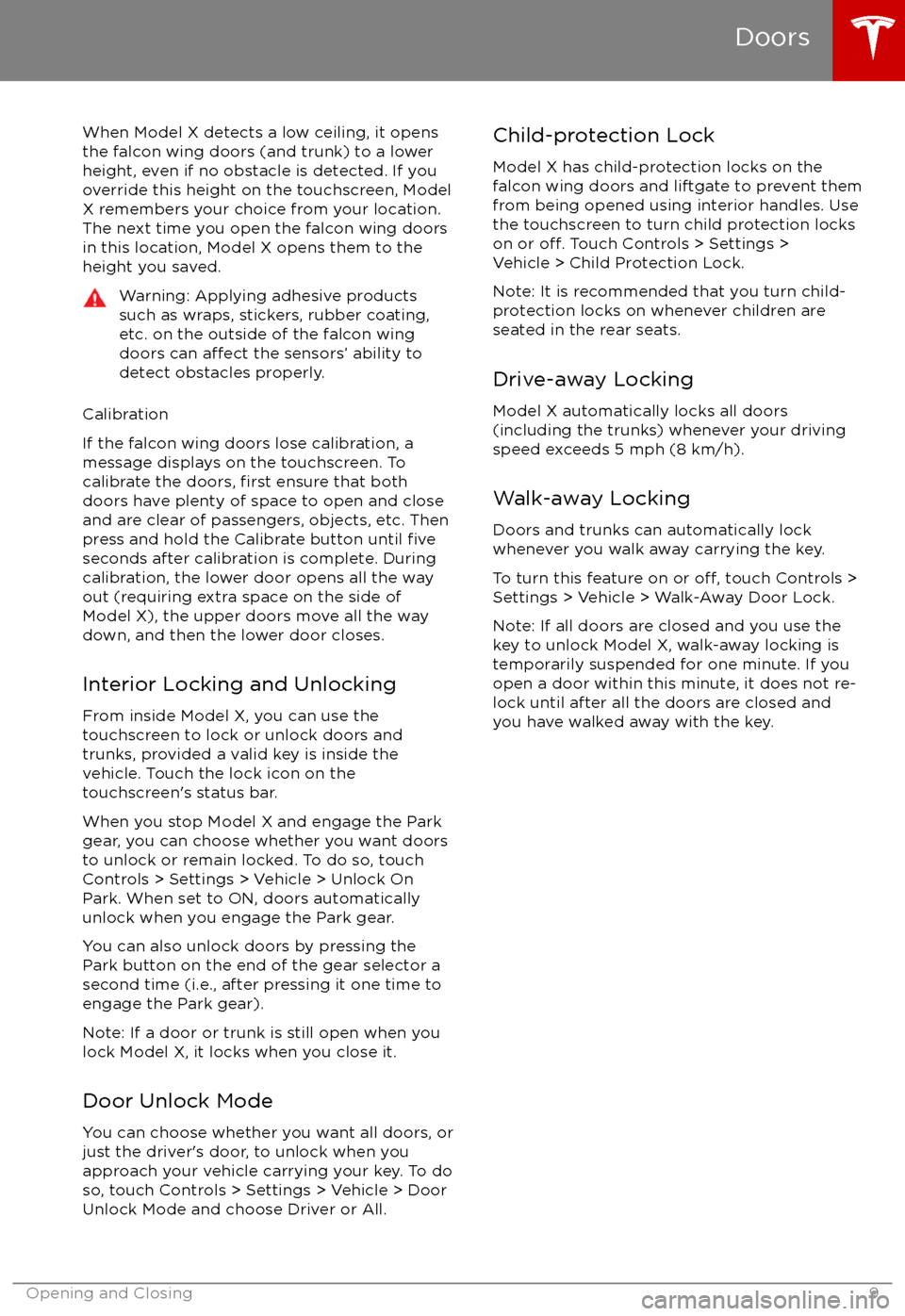
Warning: Whenever a front door is
partially open (approximately 20
Page 10 of 198
When Model X detects a low ceiling, it opens
the falcon wing doors (and trunk) to a lower
height, even if no obstacle is detected. If you
override this height on the touchscreen, Model
X remembers your choice from your location.
The next time you open the falcon wing doors
in this location, Model X opens them to the
height you saved.Warning: Applying adhesive products
such as wraps, stickers, rubber coating,
etc. on the outside of the falcon wing
doors can
affect the sensors
Page 15 of 198
Opening
To open the front trunk: Touch ControlsFront Trunk on the
touchscreen, or double-click the front
trunk button on the key.
Pull the hood up.The door open indicator displays on
the instrument panel when the front
trunk is open. The image of the
Model X on the touchscreen Controls window also displays the open trunk.
The front trunk locks whenever Model X is
locked using the touchscreen, externally using
the key or walk-away locking, or when Valet
mode is active (see Valet Mode).
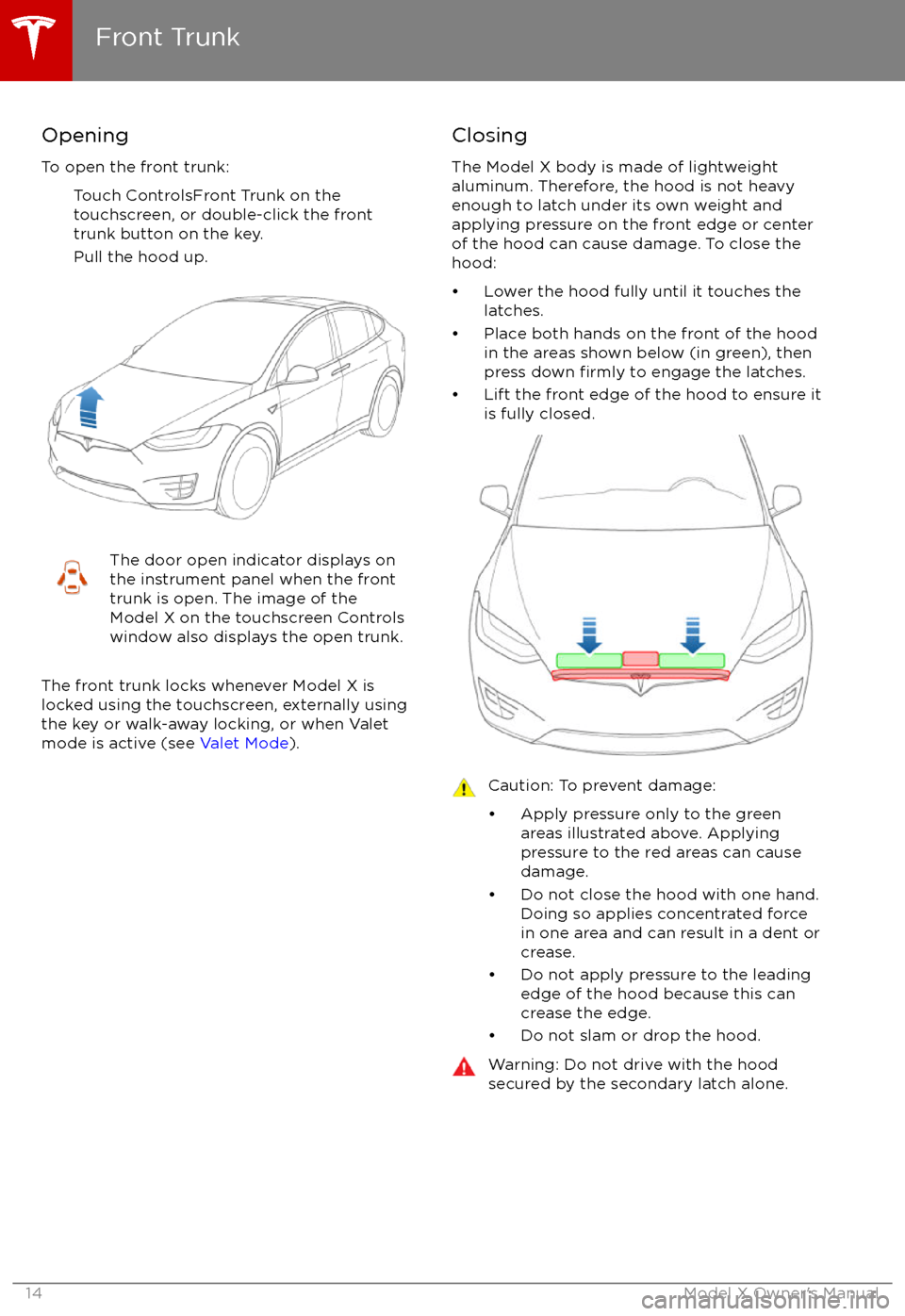
Closing
The Model X body is made of lightweight
aluminum. Therefore, the hood is not heavy
enough to latch under its own weight and
applying pressure on the front edge or center of the hood can cause damage. To close the
hood:
Page 34 of 198

Location of AirbagsAirbags are located in the approximate areas shown here. Airbag warning information is printed
on the sun visors.
Model X is equipped with an air bag and lap/shoulder belt at both front outboard seating
positions. The air bag is a supplemental restraint at those seating positions. All occupants,
including the driver, should always wear their seat belts whether or not an air bag is also provided at their seating position to minimize the risk of severe injury or death in the event of a crash.
1. Knee airbags
2. Front airbags
3. Curtain airbags
4. Seat-mounted side airbags
5. Door-mounted airbags
Airbags
Seating and Safety Restraints33
Page 41 of 198
3. PreviousSame as described above for Next, except
it skips to the previous song or station. If
you have more than one favorite
defined,press and hold to cycle through favorites.
Note: Regardless of how you customize the
left side of the instrument panel, it
automatically changes to display navigation
instructions (if applicable), or to let you know
if a door or trunk is open when Model X is in a driving gear.
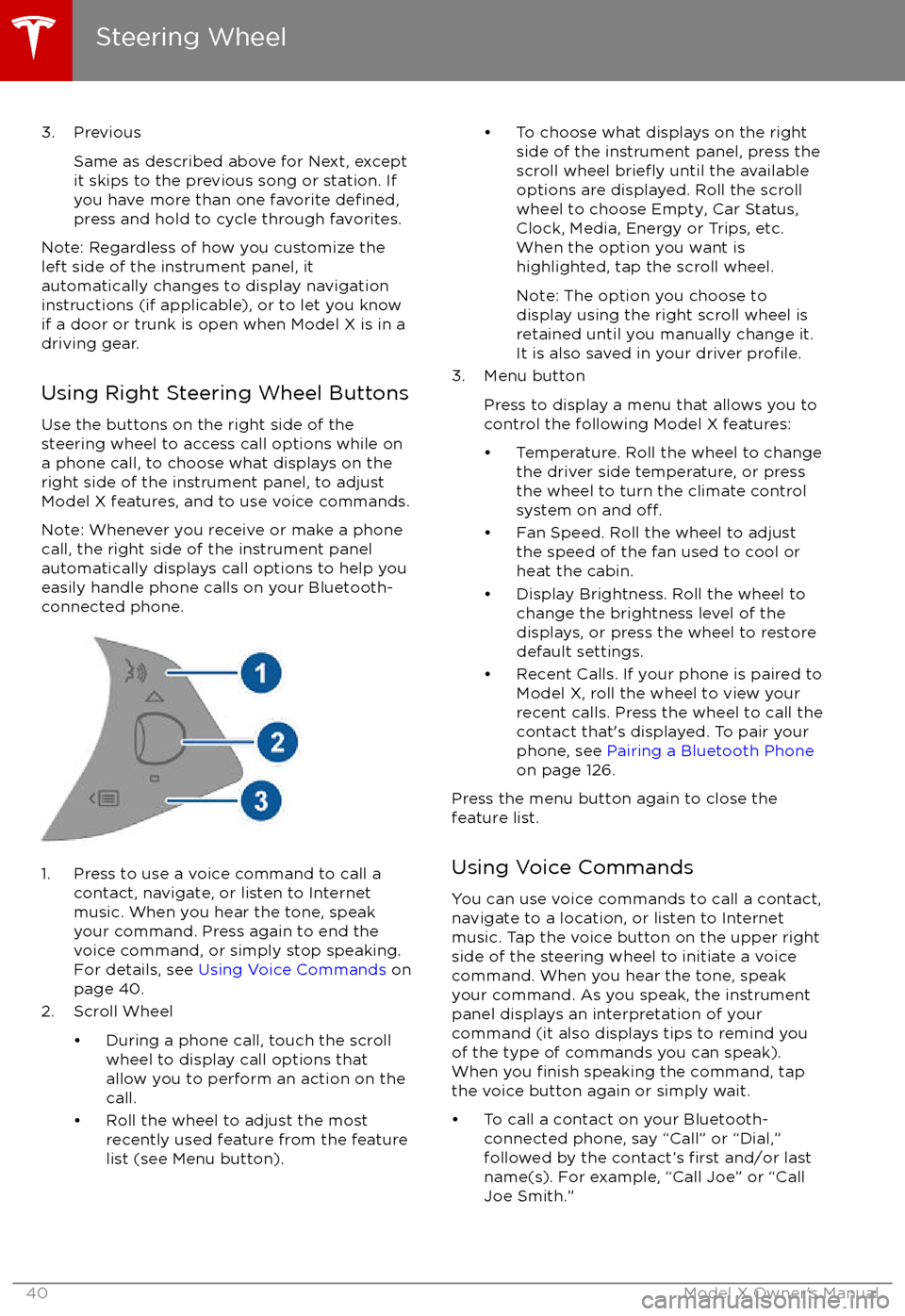
Using Right Steering Wheel Buttons Use the buttons on the right side of the
steering wheel to access call options while on
a phone call, to choose what displays on the
right side of the instrument panel, to adjust
Model X features, and to use voice commands.
Note: Whenever you receive or make a phone call, the right side of the instrument panelautomatically displays call options to help you
easily handle phone calls on your Bluetooth-
connected phone.
1. Press to use a voice command to call a
contact, navigate, or listen to Internetmusic. When you hear the tone, speak
your command. Press again to end the
voice command, or simply stop speaking.
For details, see Using Voice Commands on
page 40.
2. Scroll Wheel